A phone system your customers manage themselves.
Their call handling is drawn as a diagram, or described to the assistant in one sentence. They no longer need to open a ticket with you for every change.
Describe the call handling, the assistant draws it.
In the portal, the phone system is a diagram: numbers, hours, welcome menu, phones that ring. The company sees where every call goes and changes it by connecting blocks, from a computer or a phone.
They can also write it the way they would say it: “open Monday to Friday, 9 am to 6 pm, press 1 for sales, press 2 for support, otherwise voicemail”. The assistant draws the matching diagram; they review it and publish.
1The customer describes2The assistant draws3They publish4Calls follow
I'm drafting five blocks. Nothing changes until you publish.
Hours
Mon to Fri, 9 am to 6 pm
Auto attendant
Key 1, key 2
Voicemail
Closed or no answer
1
Describe
The user types what they want in the portal chat. When in doubt, the assistant asks a question rather than guessing.
2
Adjust
The proposal appears as a draft on the diagram. They move a link, change a time slot, listen to the greeting before it goes live.
3
Publish
Nothing changes until they click Publish. Every version is kept: they can go back to the previous one whenever they want.
Editable from a phoneMessages read by a synthetic voiceEvery published version keptEvery change proposed before it is made
A day on the phone system of a small business customer.
Everything was set up once in the portal, and nobody has touched it since.
08:52
Before opening
Too early: closed message. At 9 am, it opens automatically.
09:12
Welcome menu
Key 2: the whole support group rings.
10:30
One number
The salesperson is out at a meeting: their extension and their mobile ring together.
11:10
Outgoing call
They call back from their mobile, showing the company's landline number.
12:40
All busy
Support is busy: queue, then voicemail.
14:15
Transfer
Reception transfers the call to accounting in two key presses.
15:03
Telemarketing
Sales call blocked before it even rings.
17:30
Portal
May 15 closure added from the portal. Live right away.
19:20
Voicemail
Voice message transcribed and received by email.
For the customer's business, day to day.
For the business owner
They change what they want in the portal and it is live right away, without waiting for a technician or paying for a quote to move a time slot.
For their teams
The same number at the office, at home and on the road, on a computer or a mobile.
For callers
Every call ends up somewhere: the right department, a queue or voicemail, including outside business hours.
The call flow, module by module.
A call flow starts from the company's numbers and chains modules together. Each module has its own extension number, which can be dialed from the company's phones. A module that needs fixing is flagged in red, with the reason, and the live version stays as it is until it is fixed.
Number
A company number, with a pre-answer message if needed.
Hours
Open or closed depending on the day and time, lunch break, public holidays and one-off closures.
Auto attendant
A message and a keypad menu, one exit per key.
Ring group
Several extensions or external numbers ring at the same time, or one after the other.
Queue
The caller waits with music until an extension answers, with a maximum wait time.
Conference
A phone meeting room, with a participant code and a moderator code.
External forward
To a landline or mobile number, except French 08 numbers.
SIP connector
Hands the call over to a third-party service, a phone assistant for example, over an encrypted link.
What every employee has at hand.
Forwarding
All calls, when busy, on no answer, or when the phone is unreachable, to a landline or a mobile.
Transcribed voicemail
Voice messages arrive by email, as audio and as text, for up to five recipients. Read them at a glance, without listening.
Telemarketing blocking
Calls from the number ranges that ARCEP, the French regulator, reserves for telemarketing are rejected before they ring. The company can also block up to 500 numbers.
Shared directory
The company's contacts on every phone, with the name shown when they call.
Call log
Missed calls to return, average answer time, export to a spreadsheet. Numbers can be partially masked.
Call recording
Extension by extension, to play or download from the portal. Deleted after six months at most.
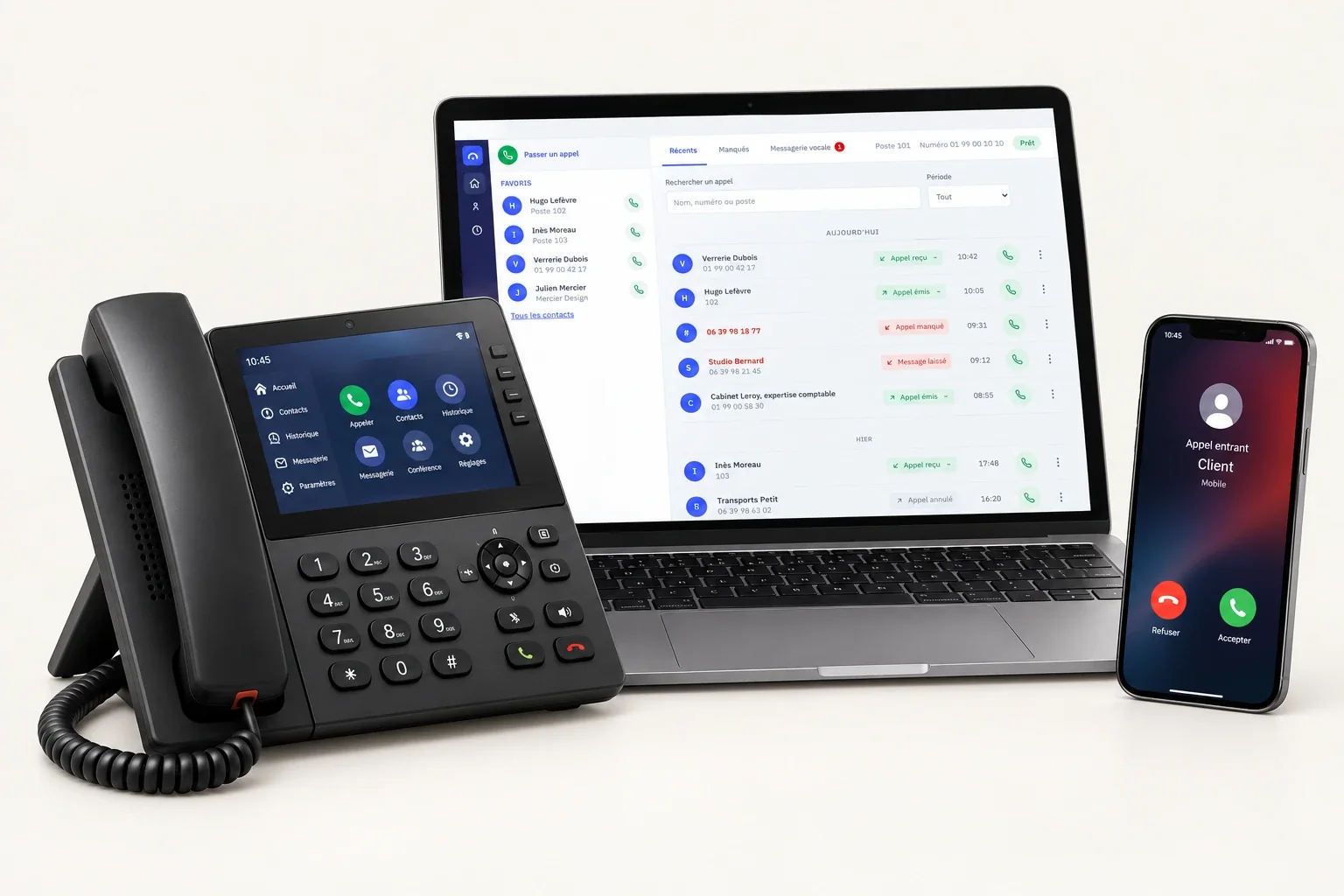
The same extension on the desk phone, in the browser and on mobile
On all your customers' phones.
The same extension rings everywhere at once, and the first device to answer takes the call. On outbound calls, the other party sees the company's number.
Desk phones provisioned remotely
Yealink desk and DECT phones, Grandstream adapters. The customer's admin adds the phone with its MAC address and picks its keys; the phone fetches its configuration on its own. Registered with Yealink's RPS, it sets itself up straight out of the box. Remote resync and reboot.
In the browser
The extension opens in the browser with nothing to install, with its number, call log and voicemail. It installs as an app, and a number clicked in a web page or an email dials it.
Windows and Mac app
The same phone in its own app: it takes calls with the browser closed, with a notification to answer.
iPhone and Android app
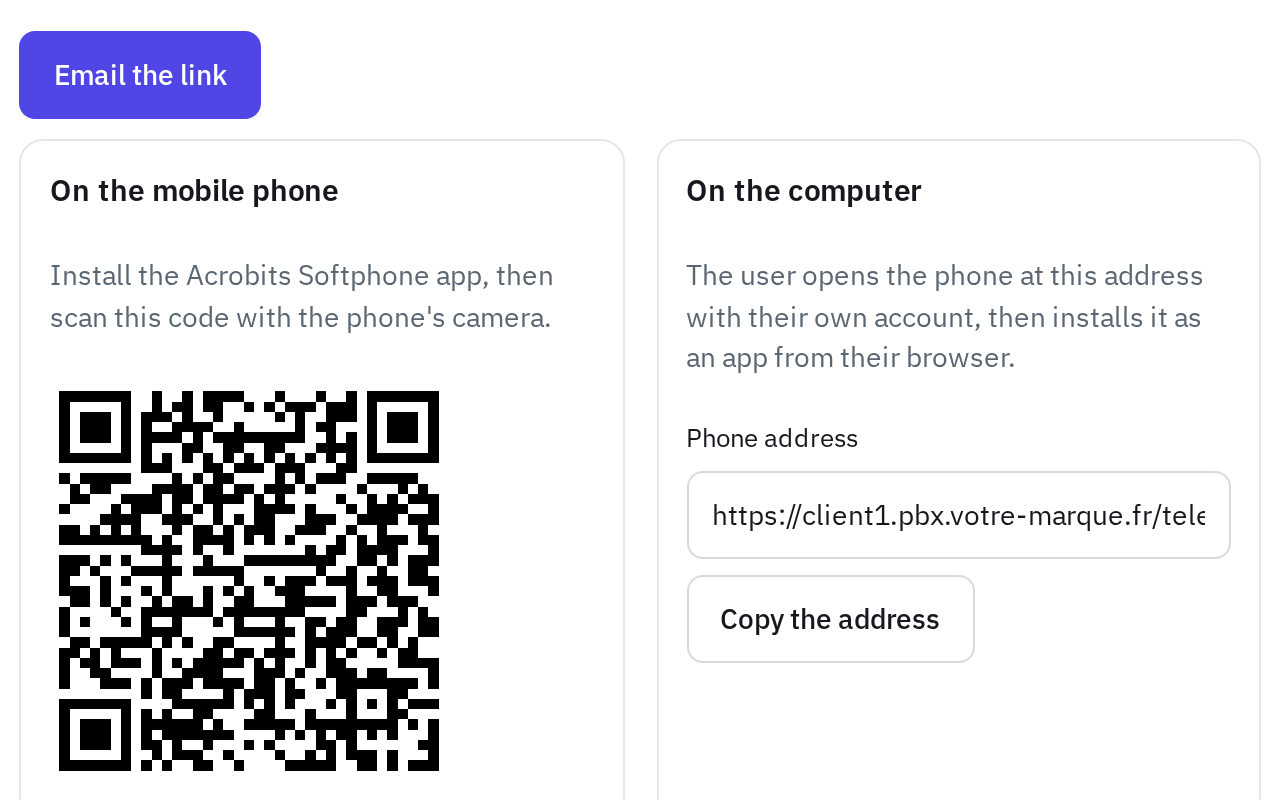
In your colors, it rings even with the screen off and sets up by scanning a QR code, once. A lost phone is cut off from the portal.
Company number on outbound callsTwo-key transferNothing to install on the network
A phone set up from a link.
The employee receives a link by email, valid for 7 days: it shows which app to install, then sets up the line in one tap. On a computer, a QR code to scan with the phone. Lost phone? A new SIP password cuts off the old one.
Every customer in their own language.
Language is set per customer and per user: the same platform can greet callers in French for one customer and in English for another. French and English are available today; any other language is added on request.
Portal and emails
The interface, invitations, emails and exports follow each account's language.
Announcements and voicemail
Auto attendant, voicemail and conference rooms speak the customer's language, with a synthetic voice available in about thirty languages.
Transcription and assistant
Voicemail transcription and the assistant understand most languages.
Access under control.
Sign-in
Through the operator's portal, without typing a password again, or through the company directory: Microsoft, Google or any OpenID Connect provider.
Two-step verification
Can be required for the whole company, with passkeys (fingerprint, face) that protect against phishing.
Audit log
Who did what, when and from where: sign-ins, accounts, settings, exports. Entries cannot be changed or deleted.
Encrypted calls
On computers, the browser phone is always encrypted; SIP softphones switch to TLS and SRTP with one setting.
Assistant
It acts with the user's permissions, never more, and proposes every change before making it.
Personal data
Export and deletion of an employee's data, retention periods set by the company.